(Ab)using Newsboat to avoid YouTube’s web UI
YouTube supports RSS feeds natively. Getting a channel’s RSS feed is simple once you have the channel’s
externalId.
#!/bin/sh

url="$1"
[ -z "$url" ] && echo "Usage: $(basename $0) URL" && exit 1

html="$(curl -s "$url")"

baseUrl="https://youtube.com/feeds/videos.xml?channel_id="
channelId="$(echo "$html" | grep -oP '(?<="externalId":").*?(?=")')"
channelName="$(echo "$html" | grep -oP '(?<=\<title>).*?(?= - YouTube\</title)')"

echo "${baseUrl}${channelId} youtube # ${channelName}"
Putting this into a file called yt2rss.sh and running it against Kurzgesagt’s channel will produce
the following:
~ ❱ yt2rss.sh https://www.youtube.com/@kurzgesagt
https://youtube.com/feeds/videos.xml?channel_id=UCsXVk37bltHxD1rDPwtNM8Q youtube # Kurzgesagt – In a Nutshell
This is a valid Newsboat entry for the URL file, with the youtube tag added, as well as the
channel’s name appended as a comment, since this is not obvious from the URL alone.
And within newsboat itself, we get the following:
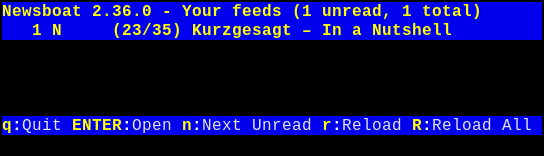
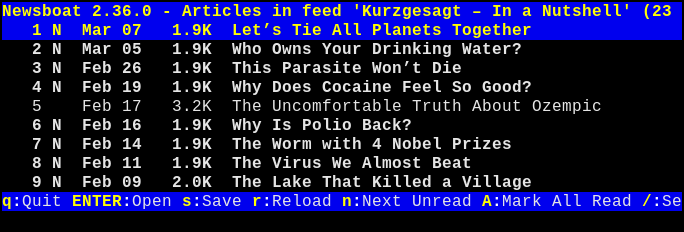
Neat!
Begone shorts!
One downside of using YouTube’s RSS feeds, is that YouTube Shorts are not distinguished from regular videos.
Not to worry though - we can filter them out by configuring Newsboat (by creating/editing
$XDG_CONFIG_HOME/newsboat/config):
# filter out shorts
ignore-mode "display"
ignore-article "*" "link =~ \"youtube.com\/shorts\""
This returns a (slightly) more sane list of videos.
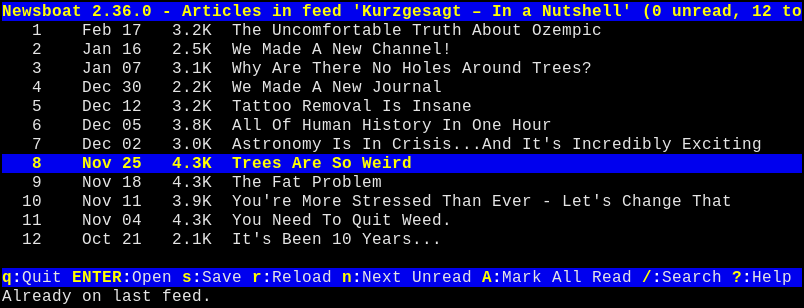
Since Newsboat is primarily built with text-based feeds in mind, its default action when “opening” an entry is to open a browser using the entry’s URL.
For YouTube (or other media such as mp3/podcasts), this won’t do. As mentioned previously, YouTube does this neat little trick where it commits sudoku mid-video in my browser.
Luckily, Newsboat provides us with a way to interact with feed entries in a different way:
macro this macro that
Once again, edit Newsboat’s config file and add the following:
macro m set browser "/usr/bin/mpv --ytdl-format=best %u --no-terminal &"; open-in-browser; set browser lynxBreaking it up:
-
macro m set browser "/usr/bin/mpv --ytdl-format=best %u --no-terminal &"This changes the behavior so entries are opened using the provided
mpvcommand instead (with%ureplaced by the entry’s URL). -
open-in-browserThis one should be fairly straightforward.
-
set browser lynxAnd finally, reset the browser to the default (lynx).
This already works well enough, but add a few more channels, and it gets a bit cumbersome to zoom up and down.
Instead, let’s add a new feed (a query feed, to use Newsboat nomenclature) to
$XDG_CONFIG_HOME/newsboat/urls:
"query:YouTube Videos:(tags # \"youtube\")And additionally, let’s make sure to pre-populate query feeds (so they don’t reset to empty each time you open Newsboat) by adding this to the config file:
prepopulate-query-feeds yesThis results in the following:
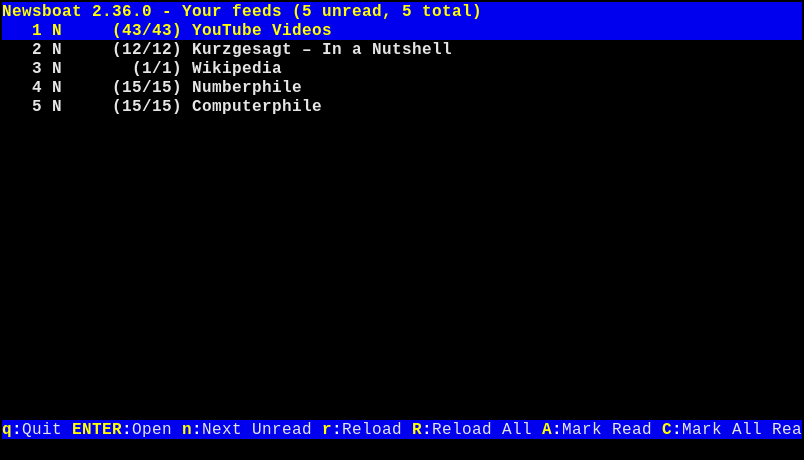
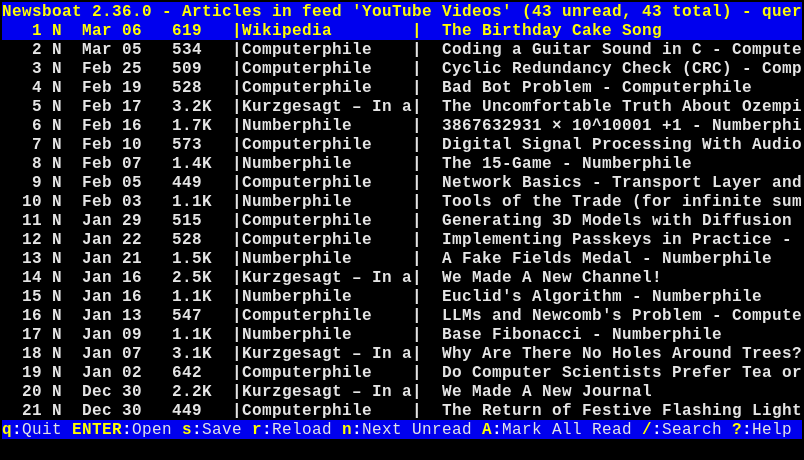
The “workflow” when checking out if anything new came out is now as follows:
- open Newsboat
- hit
<C-R>to refresh all feeds - open the query feed
- hit
,mto watch a video or,dto download it for later usingyt-dlp(see below).
That’s nice and all, but I travel with Deutsche Bahn
Sometimes I just want to download a video to watch it later, or for when I’m in the train without an Internet
connection. For that, I wrote a small shell script (essentially just yt-dlp with a few of its options
set) to a file called yt.sh:
#!/bin/sh

mkdir -p ~/vids/yt/

yt-dlp                                                        \
  --format 'bv*[ext=mp4][height<=720]+ba[ext=m4a]'            \
  --embed-chapters                                            \
  --no-write-auto-subs                                        \
  --sub-langs all,-live_chat                                  \
  --embed-subs                                                \
  --sub-format srt                                            \
  --output "%(upload_date)s %(uploader)s: %(title)s.%(ext)s"  \
  --no-warnings                                               \
  --quiet                                                     \
  --paths ~/vids/yt/                                          \
  "$*"
Read the yt-dlp documentation for a bit more info on what each option does. The tl;dr is
essentially “make sure it’s 720p or less (I don’t care for higher quality), keep some of the metadata, and place it
under a specific folder with a specific naming convention.”
With this out of the way, we can now call that script from within Newsboat, and pass it the current entry’s URL. First, we add the following to Newsboat’s config:
macro d set browser "yt.sh %u &"; open-in-browser; set browser lynx… then hit <,d> instead of <,m>, and it will start downloading via
yt-dlp in the background. You can close Newsboat and the download will continue. I would recommend
keeping it down to at most three or four concurrent downloads, to avoid YouTube blocking your IP address. Ask me
how I now.
bye now
And that’s it.
“Isn’t that a bit janky?”
Yep.
“Am I missing out on anything by not interacting with YouTube’s website?”
Well, I don’t think so. YouTube comments are pure, unfiltered LLM brainrot and the recommended section usually works against you(r time). Of course, your mileage may vary, but in general I don’t think it’s too hot a take to say you’re not missing out.